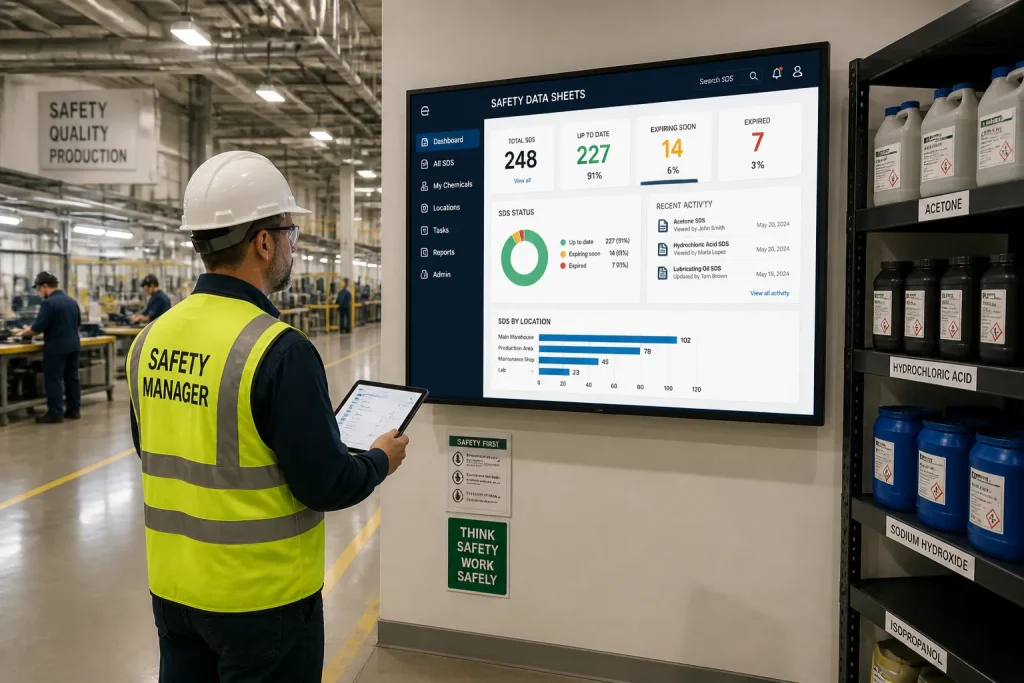
Implementing a system to manage your Safety Data Sheets (SDS) involves a structured process of preparing your data, configuring the platform to your business needs, and defining user roles and workflows for ongoing maintenance and distribution. We provide a centralized platform to make this process efficient and secure, moving you beyond scattered PDF files. Read the overview article about Manage safety data sheets
How do you set up software to manage safety data sheets for your products?
Setting up software to manage your Safety Data Sheets (SDS) is a multi-stage process that begins with careful preparation and ends with defined user workflows. By following these steps, you create a robust, centralized system that simplifies compliance and communication across your supply chain.
- Prepare for Migration
Before you import any documents, it's crucial to prepare your existing SDS collection. What preparation is needed? Start by conducting a full audit of all current safety data sheets. Check for completeness, accuracy, and regulatory compliance. Standardize file naming conventions and organize documents by product, supplier, or region to ensure a smooth and logical migration into the new system. This initial cleanup prevents future confusion and ensures the data you start with is reliable. - Configure the System Foundation
Once your data is ready, the next step is to configure the platform's core settings. Which steps are involved? This involves setting up your product structure, often by creating categories or product families that mirror your inventory. You must also configure the system for all relevant languages and regions your business operates in. This ensures that when an SDS is added, it can be correctly tagged for distribution to the right markets with the correct language and regulatory format. - Define User Roles and Workflows
The final setup step is to manage user access and operational processes. How do you define these? You need to establish specific user roles—such as administrator, editor, and viewer—and assign permissions based on job responsibilities. This security measure prevents unauthorized changes. Following this, map out your internal workflows for document review, approval, and publication. This ensures every new or updated SDS goes through a consistent, traceable process before being shared with customers.
What is the ongoing process to keep managed safety data sheets up to date?
The ongoing process to keep managed safety data sheets up to date involves systematically monitoring supplier updates, executing a formal review and approval workflow, and conducting regular audits of your entire database. A well-defined maintenance cycle ensures your product safety information remains current and compliant.
- Monitor and Process Supplier Updates
A primary task is managing incoming SDS revisions from your suppliers. How should you monitor these? Establish a clear intake process, whether through dedicated email channels or direct supplier notifications within the platform. When a new version is received, it should be logged and queued for review. This prevents outdated documents from remaining in circulation and ensures new safety information is assessed promptly. - Implement a Review and Approval Workflow
Every updated SDS must undergo internal validation before it is published. What workflow is recommended? We recommend a multi-step process where a compliance officer or a qualified team member first reviews the document for accuracy and regulatory changes. Once verified, it should be forwarded to a designated approver for a final sign-off. This creates an audit trail and ensures accountability for all changes. - Conduct Regular Database Audits
Proactive audits are essential for maintaining a reliable SDS library, especially with thousands of items. How often should you audit? We suggest performing a comprehensive audit at least annually. This involves verifying that all documents are the latest versions, checking for missing SDS for new products, and removing documents for discontinued products. Regular audits help you identify and fix gaps in your compliance documentation before they become a problem.
How do you share and distribute managed safety data sheets across your supply chain?
Sharing and distributing managed safety data sheets involves providing controlled access to partners, automating notifications about updates, and managing different language versions for international markets. Our platform is designed to move beyond manual PDF sharing via email, creating a more efficient and reliable distribution process.
- Provide Secure Online Access
Give your customers and partners direct access to the most current safety information. What options exist? You can create a secure, branded online portal where users can search for and download the SDS they need. Access can be controlled through user accounts, ensuring that partners only see documents relevant to the products they purchase. This self-service model reduces the burden on your support teams and eliminates delays. - Automate Revision Notifications
Keeping your supply chain informed of changes is a critical compliance step. How can notifications be automated? You can configure the system to automatically send an email notification to all relevant contacts whenever an SDS is updated. This message typically includes a summary of the change and a direct link to the new document version. Automation ensures that every stakeholder receives timely and accurate information without manual intervention. - Manage and Distribute Language Versions
For businesses operating in multiple countries, language management is key. How do you manage this? When uploading an SDS, you can tag it with the appropriate language and country-specific regulations. The system then allows you to distribute the correct version to each market. When a customer in a specific region requests an SDS, the platform automatically provides the document in their local language, ensuring clarity and compliance with local laws.
Conclusion
Successfully managing the lifecycle of your safety data sheets comes down to a clear, repeatable process. From the initial setup and data migration to the ongoing tasks of updating, reviewing, and distributing documents, a centralized system is essential. By structuring your workflows for maintenance and sharing, you not only ensure compliance but also build a more transparent and efficient supply chain. At Product Safety Cloud, we provide the tools to simplify this entire process, free of charge. You can sign up for free to get started.